Know which jobs make money — every month, from a real controller.
Managed bookkeeping for shops doing $750K–$3M with 2–6 trucks. AI agents categorize, reconcile, and job-cost your books; a former controller reviews every monthly close. Built from the Jobber or Housecall Pro data you already have — and Poof can answer your phone and book the job too.
Books closed by the 15th business day · Founder-led onboarding · No long-term contract
Sample report. Your shop's real per-job P&Ls come with every monthly close.
Replaces your part-time bookkeeper — and answers the question they never could
You didn't build a shop from a service truck to chase a bookkeeper for last month's P&L.
Your May P&L lands June 20th, not June 2nd
You're pricing this week's bids on numbers that are three weeks stale. Bookkeeper turnaround is the bottleneck.
You can't tell which jobs actually made money
The big commercial install might have been a loss. By the time the P&L lands, the next quote is already out the door.
Field-service data gets rekeyed into QBO by hand
A part-time bookkeeper at $800–$1,500/mo manually moves invoices and payments between systems. Slow, error-prone, expensive.
Poof Managed for Trades
Per-job profit on every monthly close. From $1,200/mo.
AI does the work. A controller you can text reviews every close. Books closed by the 15th business day, every completed job costed within 5 business days, and an unbilled-work report every Friday.
Most shops start with the $750 Job Margin & Recovery Audit — one week, and you get a dollar figure for the margin you're leaving on the table. It credits against onboarding if you sign.
Every call answered. Every job on the board.
Managed customers can have Poof answer the shop's line. An AI receptionist picks up, works out what the caller needs, books a real slot on a real tech's calendar, dispatches the tech, and escalates anything unsafe to a person. The revenue that used to go to voicemail lands on the board instead — and the job it creates gets costed like every other job on your P&L.
It answers, and it books
The agent knows your shop’s name, hours, and service area. It works out what the caller needs and puts the job on the board — at 9pm, on a Saturday, or while every tech is on a roof.
Safety calls are decided in code, not by AI
Gas smell, carbon monoxide, smoke, sparking, or an active alarm trigger an immediate emergency escalation and a scripted “leave the building, call 911” response. No heat below 45°F and no cool above 95°F are emergencies too. These are rules in the software — the AI narrates the call, it never decides what counts as an emergency.
It books against real availability
Slots come from your technicians, their weekly windows, and their time off, minus what is already booked, with drive-time buffer respected. Skills are a preference rather than a gate — a tech tagged for the work is preferred, an untagged tech is next — so a shop that has never tagged anyone is still never told it has no availability. The database refuses overlapping bookings outright, so two calls landing at once cannot double-book a tech.
It knows when to hand off
A safety trigger, an after-hours emergency, no slot inside the urgency window, a caller who asks for a person, a repeat caller within 24 hours, a cancellation threat, or low confidence — any of these route the call to a human.
Then it dispatches — or waits for you
Two independent switches: whether the AI picks who goes, and whether the system texts them. Leave both on and the assigned tech gets their job on their phone. Turn the first off and the booking still stands with the customer’s promised window — the job just lands under “Needs a tech” for whoever staffs your board.
The caller becomes a customer immediately
A booked job creates the customer record on the first call, not weeks later when someone finally invoices it. Matching runs on the last ten digits of the number, so the same household calling from a different phone format stays one customer instead of becoming two.
The work spreads across the crew
When several techs are free for the same slot, the job goes to whoever has the fewest jobs that day, then the fewest that week. Nobody quietly absorbs every call — which is the kind of thing that stays invisible until a good tech burns out.
A job nobody is going to raises the alarm
An appointment approaching its start time with no tech assigned escalates to you — whether that is because you dispatch by hand or because nobody was free when it was booked. Emergencies are assigned automatically regardless of how you have set the switches.
Versus an answering service
An answering service runs $200–$600/mo to take a message and, on a good day, drop it into a calendar. It doesn't know your books, which of your techs is certified for the work, or which calls are emergencies. Poof's receptionist books against real availability, escalates the unsafe ones by rule, and the job it creates gets costed like every other job on your P&L.
What it does not do
We install it for you as part of the managed service — we provision the number and the voice agent. It is not a switch you flip yourself. Customer-facing texts are not built yet: no booking confirmation, no reminder, no “your tech is on the way.” Your technician does get texted their job — your customer does not. It does not take payment on the call, does not optimize routes across the day's board, and does not clone your voice. There are no outbound sales calls. We would rather tell you that now than after you have signed.
Your tech closes the job from a text. The invoice writes itself.
The gap between the work getting done and the work getting billed is where trade shops lose money and time. Poof closes it without asking your techs to learn anything.
The tech gets a text
A link that opens exactly their job. No account, no password, no app to install — which is the honest answer to “my guys won’t use another app.” The link is signed and can be revoked, and rescheduling invalidates it automatically.
They work the job from their phone
On-my-way, arrived, and completed times recorded when they happen, not guessed at afterwards. What was wrong, what was done, what still needs doing. Equipment make, model, and serial. Photos — before, after, nameplate, receipt.
Parts and labor get logged by the person who knows
Each line tagged as labor, part, or fee at the jobsite by the tech who put it there. That is what makes the margin on the job real, instead of something the office infers from a description a week later.
They tap Complete, and the invoice exists
A draft invoice is waiting in the office with the tech’s own words on it, ready for review. Nobody retypes a paper ticket. And the completed call becomes a job — linked to the customer, with the invoice tagged to it, so it reaches your Per-Job P&L without anyone remembering to tag anything.
Your office reads it before your customer does
The dispatcher opens the field report from the board — what the tech wrote, the photos, the parts and labor, the customer’s sign-off, and the draft invoice it produced. The tech’s internal notes are shown marked as never reaching the customer. Nothing goes out until a person sends it.
Your supply-house receipt stays yours
Every jobsite photo is opted in or out of the customer's invoice individually, and the receipt showing what you paid for the part defaults to not printing. A photo of your cost can never reach a customer by accident.
An invoice that looks like trade work
Diagnosis, work performed, recommended follow-up, equipment, and warranty print under real headings, with the opted-in photos beneath them. Not a one-line “HVAC service call — $458” that invites a phone call about what it was for.
What the tech's page does not do
No GPS tracking — we are not building a way to watch your crew. It does not take payment on site. It records a typed name and a timestamp rather than a drawn signature. And it needs a signal: there is no offline mode, so a basement with no bars means the tech fills it in when they are back in the truck. Scheduling and re-routing stay on the dispatch board, not the tech's phone.
Prefer to run your own books?
Poof Professional — bookkeeping that does itself
The same AI engine behind the managed service, self-serve. Every feature included, $79/mo.
AI bookkeeping that does itself.
Minutes on your books, not hours.
Built for People Who'd Rather Run Their Business
If any of these sound like you, Poof was built for you.
Solo Founders & Freelancers
Tired of spreadsheet bookkeeping? Poof categorizes your transactions automatically — clean books without the manual work.
Small Business Owners
Dread reconciling your books each month? AI handles reconciliation, categorization, and reporting automatically.
Service Businesses
Want invoicing and bookkeeping in one place? Send recurring invoices, track payments, and manage your books — all from Poof.
QuickBooks Refugees
Been told "just use QuickBooks" and found it overwhelming? Poof gives you the same power at $79/mo — without the complexity.
What's your Spend Score? Upload a bank statement. AI scores your spending in 60 seconds.
What is Poof?
Poof is an AI-powered bookkeeping platform built for small businesses. It automates transaction categorization, invoicing, expense tracking, bank reconciliation, budgeting, cash flow forecasting, and financial reporting — so you spend less time on books and more time growing your business.
How Poof Works
Three steps. Five minutes. Zero spreadsheets.
Connect Your Bank
Link your accounts via Plaid in under 5 minutes. Transactions from the last 30 days sync automatically.
AI Does the Work
The BRAID engine categorizes every transaction, detects recurring charges, matches payments to invoices, and scans receipts — automatically.
Poof. It's Done.
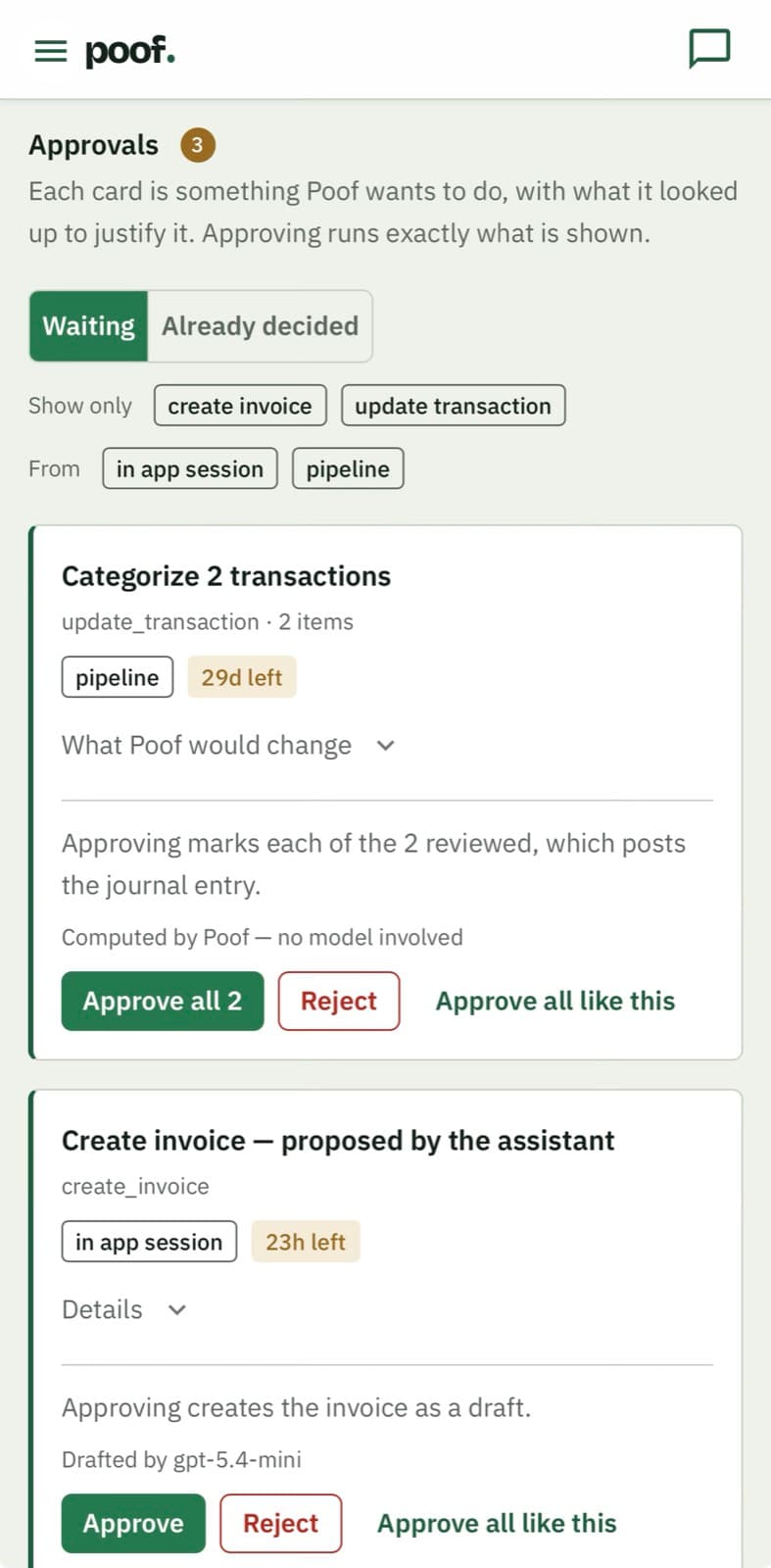
Clean books, accurate reports, and zero manual data entry. Tell Poof "we received a check for invoice 1234" and it records the payment, marks it paid, and books the journal entry — instantly.
Connect Your Bank
Link your accounts via Plaid in under 5 minutes. Transactions from the last 30 days sync automatically.
AI Does the Work
The BRAID engine categorizes every transaction, detects recurring charges, matches payments to invoices, and scans receipts — automatically.
Poof. It's Done.
Clean books, accurate reports, and zero manual data entry. Tell Poof "we received a check for invoice 1234" and it records the payment, marks it paid, and books the journal entry — instantly.
Your Books, Done — Automatically
All the power of QuickBooks. None of the complexity.
$79/mo flat — one plan, every feature, nothing you have to grow into.

Ask a Question, Get an Answer — Not a Help Article
Poof isn't just a chatbot — it's your AI assistant. Create invoices, record payments, set up depreciation schedules, and manage your books entirely through conversation.
- Record payments and auto-book journal entries via chat
- Set up recurring depreciation, amortization, and rent entries
- Search and create chart of accounts entries autonomously
- Privacy controls let you decide what Poof can access

Snap a Photo. Never Type an Expense Again.
Upload receipts and invoices for automatic data extraction. AI identifies vendors, suggests categories, detects duplicates, and works with HEIC/HEIF images.
- OCR extracts amounts, dates, and vendors automatically
- Duplicate detection prevents double-entries
- Supports HEIC/HEIF from iPhone photos

Invoices Match to Payments Automatically
AI matches bank deposits to outstanding invoices and payments to bills — including partial payments — with confidence scoring.
- Matches deposits to invoices with confidence scores
- Handles partial payments and credit notes
- Automatic bill-to-payment reconciliation

Describe Your Goal. Get a Budget in Seconds.
Tell Poof your goal in plain English — like "20% revenue growth" — and AI builds the budget for you. Then track variance, get spending alerts, and see 12-month cash flow projections.
- AI-generated budgets from natural language goals
- Budget vs actual variance dashboard with alerts
- 12-month cash flow forecasting with confidence bands
- Budget lifecycle: Draft → Active → Locked → Archived
And That's Just the Start
108 features across 12 categories — all included in every plan.
Job Costing, Month-End Close & Payments
- Job Costing & Per-Job Profitability
- AP Cash Planner
- Period Close & Locking
- AI Close Narrative
- Monthly Financial Package
- Books-Integrity Checks
- Proactive Insights Engine
- Accept Online Payments
- Inbound Email Capture
- Per-Job Labor Allocation
- Financing Gross-Up
- Peer Benchmarks on the Per-Job P&L
- Period Tie-Out Engine
- Accrual Roll-Forward Subledger
- Document Playbooks
AI-Powered Automation
- AI Transaction Categorization
- Poof AI Assistant
- AI Chart of Accounts Generation
- Automated Daily Bookkeeping
- AI Recurring Charge Detection
- Receipt & Invoice Scanning (OCR)
- Smart Transaction Matching
- AI-Guided Onboarding
- AI Budget & Forecast Generation
Poof AI Capabilities
- Business-Context-Aware Chat
- Books Health Check & Month-End Close
- Invoice, Estimate & Credit Note Creation
- Record Creation via Natural Language
- Record Updates
- Budgeting & Forecasting Guidance
- Recurring Charge Analysis
- Chart of Accounts Setup
- Account Search & Creation
- Journal Entry Creation with Account Validation
- Recurring Journal Entry Setup
- Financial Report Generation
- Bank Statement PDF Import via Chat
- Guided Onboarding Walkthrough
- File Attachment Handling
Invoicing & Payments
- Professional Invoicing
- Estimates & Quotes
- Credit Notes
- Payment Tracking & Payment Receipts
- Products & Services Catalog
- Customer Management
- Recurring Invoices
- Automated Invoice Follow-ups
Expense & Bill Management
- Expense Tracking
- Mileage Tracking
- Bill Management
- Vendor Management
- Transaction Matching
Banking & Reconciliation
- Bank Connection
- Bank Statement Import
- Bank Reconciliation
- Auto-Reconciliation
- Deposits
- Multi-Account Support
Accounting & Reporting
- Double-Entry Accounting
- 13 Financial Reports
- Report Drill-Down
- Shareable Report URLs
- Scheduled Report Delivery
- Financial Import
- Accrual & Cash Basis Toggle
- Recurring Journal Entry Templates
Budgeting & Forecasting
- Budget Creation
- Budget Lifecycle Management
- Variance Dashboard
- Cash Flow Forecasting
- Budget Alerts
Team & Security
- Team Management
- Two-Factor Authentication
- Audit Logs
- Session Management
- GDPR/CCPA Account Deletion
- Email Verification
- Role-Based Permissions (RBAC)
- Bot-Abuse Gate on Registration
- AI Privacy Chokepoint (Gateway)
Productivity & Workflow
- Personalized Dashboard
- Global Search
- Notification Center
- Transaction Approval Workflows
- Command Bar (Cmd+K)
- AI Chat Folders
AI Receptionist & Dispatch
- AI Phone Receptionist
- Deterministic Safety Triage
- Real-Calendar Booking
- Rule-Based Human Escalation
- Multi-Channel Notifications
- Dispatch Board, Call Log & Technician Management
- Receptionist Settings
- Manual or Automatic Dispatch
- Customer Record on the First Call
- Automatic Technician Dispatch
- Work Spread Evenly Across the Crew
- A Job Nobody Is Going To Raises the Alarm
Field Service & Job Handoff
- Technician Field Link
- Arrival Tracking
- Field Report
- Equipment Capture
- Jobsite Photos
- Parts & Labor Logged in the Field
- The Invoice Writes Itself
- Trade-Format Invoice
- A Service Call Becomes a Job
- Office Review Before It Reaches the Customer
See Poof in Action
A look inside the app — AI-powered bookkeeping that just works.


Everything You Need. Nothing You Don't.
One price, every feature — $79/mo flat, versus $140/mo for the QuickBooks Plus tier that carries job costing and budgets. And Poof's AI does the work, instead of handing you more tools.
| Feature | Poof $79/mo RECOMMENDED | QuickBooks $140/mo Plus | Xero $15+/mo | FreshBooks $19+/mo |
|---|---|---|---|---|
| AI Transaction Categorization | ||||
| Built-in AI Assistant (Creates, Edits & Records) | ||||
| AI Payment Recording with Journal Entries | ||||
| Auto Chart of Accounts Generation | ||||
| Receipt Scanning & OCR | ||||
| AI Recurring Charge Detection | ||||
| AI Budgeting & Cash Flow Forecasting | ||||
| Invoicing & Credit Notes | ||||
| Recurring Invoices with Automated Follow-ups | ||||
| Expense Tracking & Receipt Uploads | ||||
| Bank Connection (Plaid) | ||||
| Bank Statement Import (CSV/PDF) | ||||
| Bank Reconciliation | ||||
| Auto-Reconciliation | ||||
| Double-Entry Accounting | ||||
| Bill & Vendor Management | ||||
| 13 Financial Reports | ||||
| Report Drill-Down (Click to See Journal Entries) | ||||
| Scheduled Report Delivery (Email, PDF/CSV) | ||||
| Bank Statement PDF Import via AI Chat | ||||
| Budget vs Actual Variance Dashboard | ||||
| Accrual & Cash Basis Toggle | ||||
| Estimates & Quotes | ||||
| AI Depreciation & Recurring Entry Setup | ||||
| Personalized Dashboard with AI Daily Briefing | ||||
| Command Bar (Cmd+K) | ||||
| Team Roles (5 roles, 26 permissions) | ||||
| Audit Logs with PII Masking | ||||
| Two-Factor Auth (TOTP) | ||||
| AI Chat Folders & Multi-Session Conversations | ||||
| Built for Small Business |
QuickBooks is shown at the Plus tier ($140/mo) — the plan that carries job costing, budgets, and full reporting, and the honest match for Poof's feature set. Simple Start ($38/mo) is single-user and can't do this work. Xero and FreshBooks are shown at their entry prices. QuickBooks pricing verified August 2026, after Intuit's August 1 increase; features and pricing may vary.
Frequently Asked Questions
Common questions about Poof's AI bookkeeping platform
Beyond Software
Want expert eyes on your numbers?
We'll analyze your finances, uncover profit leaks, and show you exactly what to automate.
Get My AnalysisReady for books that tell you which jobs made money?
Book a 20-minute call about the managed service for trades — or start the self-serve free trial and run your own books.